![arborgold-logo-@250px copy.png]](https://help.arborgold.com/hs-fs/hubfs/arborgold-logo-@250px%20copy.png?height=40&name=arborgold-logo-@250px%20copy.png)
What to do if a customer moves to a new property?
If a residential customer moves properties the following steps can be taken:
-
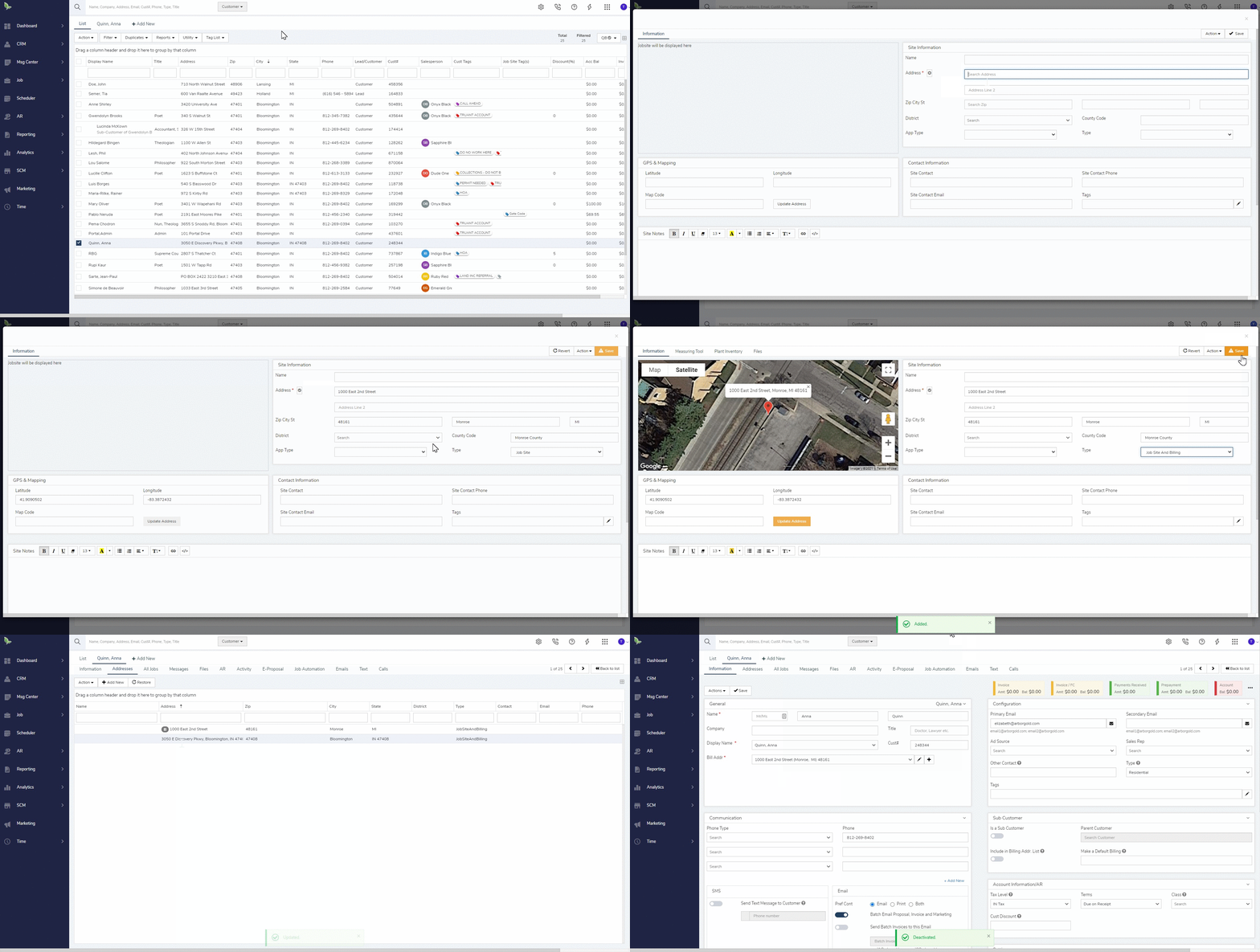
Navigate to the customer's addresses tab
-
Click the + Add New to add a new address in
-
In the job site address screen, be sure to set the type to Job Site and Billing
-
Click Save, close out of the job site addresses screen to get back to the addresses screen
-
Highlight the new address, select action set as billing address
-
Right-click on the old address to deactivate