![arborgold-logo-@250px copy.png]](https://help.arborgold.com/hs-fs/hubfs/arborgold-logo-@250px%20copy.png?height=40&name=arborgold-logo-@250px%20copy.png)
Before proceeding. Updating your banking details can delay funding due to re-verification steps that are needed to verify the new account
- Navigate to “Account Activity”
- You will click on the 3 dots on the right hand of your screen on the account in question
- In the dropdown, locate and click “Manage Bank Accounts”
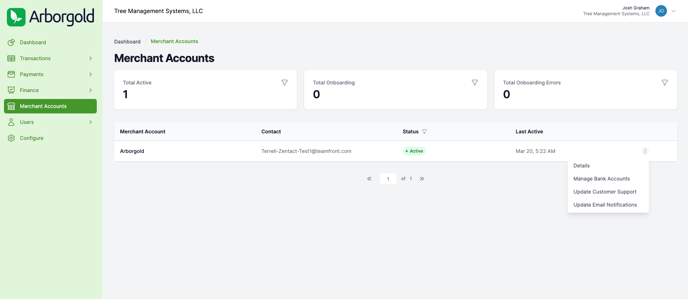
- You will then need to click on the “+” to add the new bank account
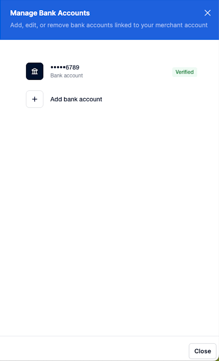
- Once you have done this, a pop-up will show on your screen to choose the verification method
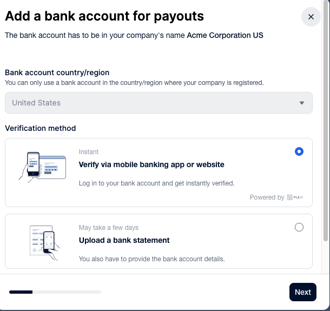
- We recommend “Verify via mobile Banking app or website” for faster results.
- Depending on your Bank, the mobile verification may not be available
- Once submitted, please wait a few business days for this new bank account to be verified in order to receive future payouts